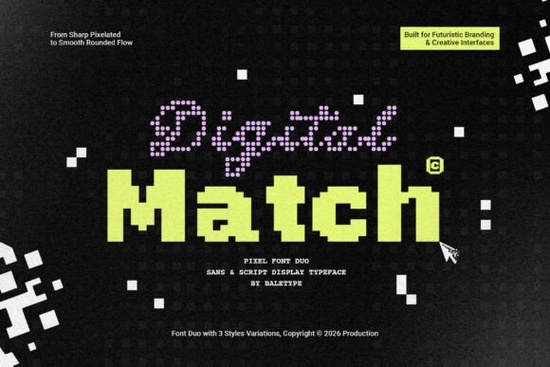
If you're looking for a clean, tech-inspired font that works across logos, posters, game UIs, or merch designs Digital Match Font is a solid choice. It’s not just another pixel-style typeface; it’s a thoughtfully paired duo: a crisp sans-serif and a subtle script, each with three weights (light, regular, bold). That gives you real flexibility without needing to mix unrelated fonts. And because it supports multiple languages including Latin, Greek, Cyrillic, and basic Vietnamese it’s practical for international projects or multilingual branding.
When does Digital Match Font actually fit your project?
This isn’t a “one-size-fits-all” font but it shines in very specific contexts. Think of it as your go-to for anything with a digital, retro-futuristic, or minimalist tech vibe. A local gaming convention poster? Yes. A Shopify store selling smart home accessories? Absolutely. A sticker pack for indie devs? Perfect. It avoids the dated look of early 2000s pixel fonts by balancing sharp edges with careful spacing and open counters so it stays legible even at small sizes.
Unlike many display fonts, Digital Match doesn’t sacrifice usability for style. You can use the sans for headlines and body text in short blocks (like app onboarding screens), while the script adds quiet personality say, for a tagline or product subtitle. Both families scale well from web to print, and the OpenType features include standard ligatures and alternate characters, so you get subtle polish without extra work.
How does it compare to other modern display fonts?
It’s worth noting how Digital Match sits alongside similar options. If you like its aesthetic but want something softer and more hand-drawn, Belindra Font offers a relaxed, rounded script-sans pairing great for lifestyle brands or craft labels. For tighter, high-contrast lettering with editorial flair, Goodwin Font brings strong vertical stress and elegant terminals. Meanwhile, Kafu Font leans into Japanese-inspired geometry and works especially well for bilingual (English/Japanese) layouts. And if your project needs a playful, urban energy like streetwear or food truck branding Main Street Traffic Font delivers bold, kinetic rhythm without feeling chaotic.
None of these replace Digital Match they complement it. You might use Digital Match for a tech startup’s logo and website, then switch to Goodwin for their investor pitch deck, or layer Belindra for a limited-edition product label. Variety matters, but consistency matters more. That’s why having a cohesive, well-tested duo like Digital Match saves time and strengthens visual identity.
What about licensing and technical details?
Digital Match Font comes with a commercial license so you can use it in client work, print-on-demand products (like mugs or t-shirts), and digital assets (apps, websites, social graphics). No hidden restrictions or per-seat fees. Files are delivered in OTF and TTF formats, compatible with Adobe apps, Affinity Suite, Cricut Design Space, Silhouette Studio, and most cutting machines. Kerning is applied automatically in most design software, and the glyphs are cleanly spaced no manual tweaking needed for basic use.
One thing to keep in mind: while it supports many languages, it doesn’t include extended diacritics for Vietnamese tone marks beyond the basics, nor does it cover Arabic or Hebrew. So if your project requires full Southeast Asian or right-to-left language support, you’ll want to pair it with a complementary system font for body copy.
For reference, you can see live previews and download samples directly on Creative Fabrica: Digital Match Font, Belindra Font, Goodwin Font, Kafu Font, and Main Street Traffic Font.
Simple next step before downloading
- Open your design file and test both the sans and script versions at 24pt and 72pt see how they pair in context.
- Check your project’s language requirements against the included character set (preview available on the product page).
- If using for POD, export a mockup with the font rendered as outlines just to confirm no substitution occurs during print prep.
- Try setting a short headline in the bold sans, then the subhead in the light script notice how contrast creates hierarchy without clutter.
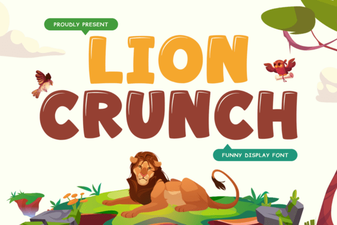 Lion Crunch Font: Display & Design Projects
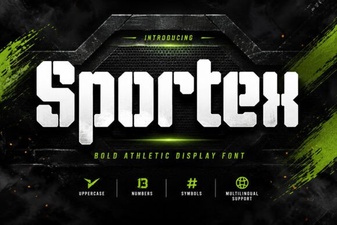 Sportex Font: a Modern Tool for Athletic Design Projects
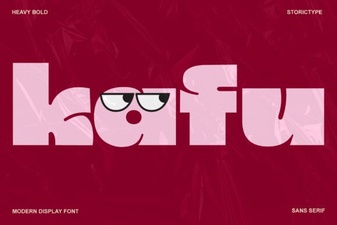 Design Your Projects with the Kafu Font
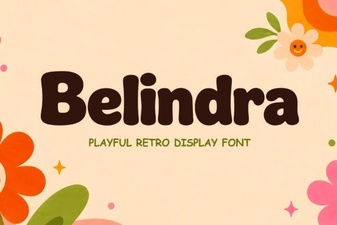 Belindra Font: Download for Modern Design Projects
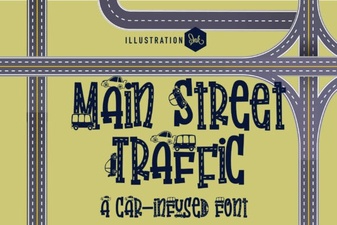 Design Your Traffic Signs with Main Street Font
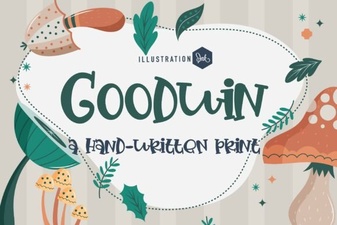 Goodwin Font: Creative Typography Projects